SMS Opt-In Consent — theqrealtor
How real estate agents opt in to receive SMS lead alerts
This page is provided for carrier and campaign registry verification purposes.
How Opt-In Works
1
Agent creates a theqrealtor account at theqrealtor.com.
2
Agent navigates to Settings in their dashboard.
3
Agent enters their mobile phone number in the “Phone Number” field.
4
Agent manually enables the “SMS Lead Alerts” toggle (disabled by default).
5
Before the toggle activates, the agent is shown the consent language displayed in Section 3 below.
6
Agent must affirmatively enable the toggle to complete opt-in. No SMS is sent without this action.
Agents receive alerts only when a buyer requests a showing or asks a question.
Consent Language
Consent language shown to users:
By enabling SMS alerts, you consent to receive automated lead notification text messages from theqrealtor at the number provided. Message frequency varies. Msg & Data rates may apply. Reply STOP to unsubscribe at any time or HELP for help. View our Privacy Policy and Terms.
Opt-In Flow Screenshots
The following screenshots show the actual opt-in interface within the theqrealtor dashboard.
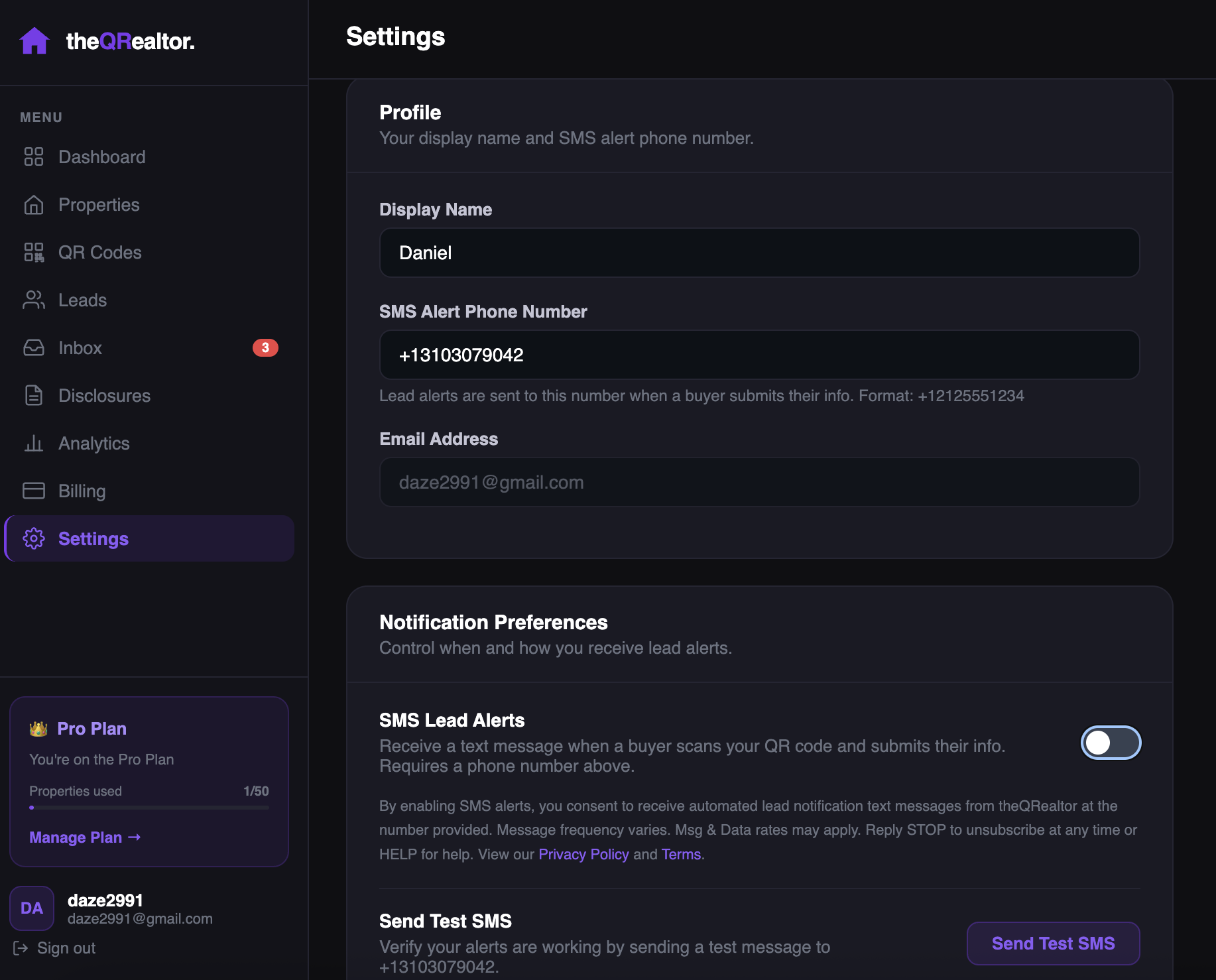 Settings page — phone number field
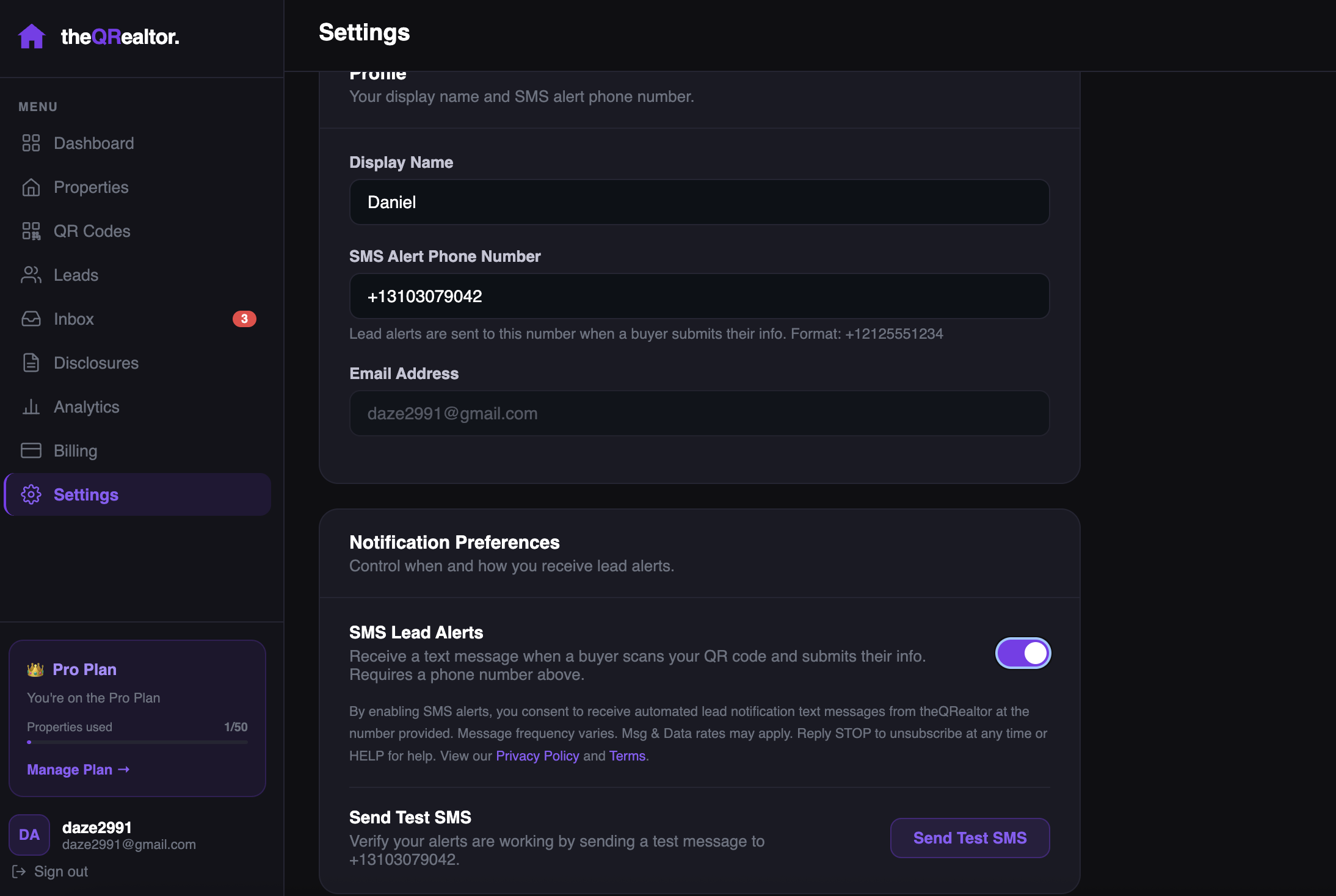 SMS Lead Alerts toggle (off by default; shown turned on)
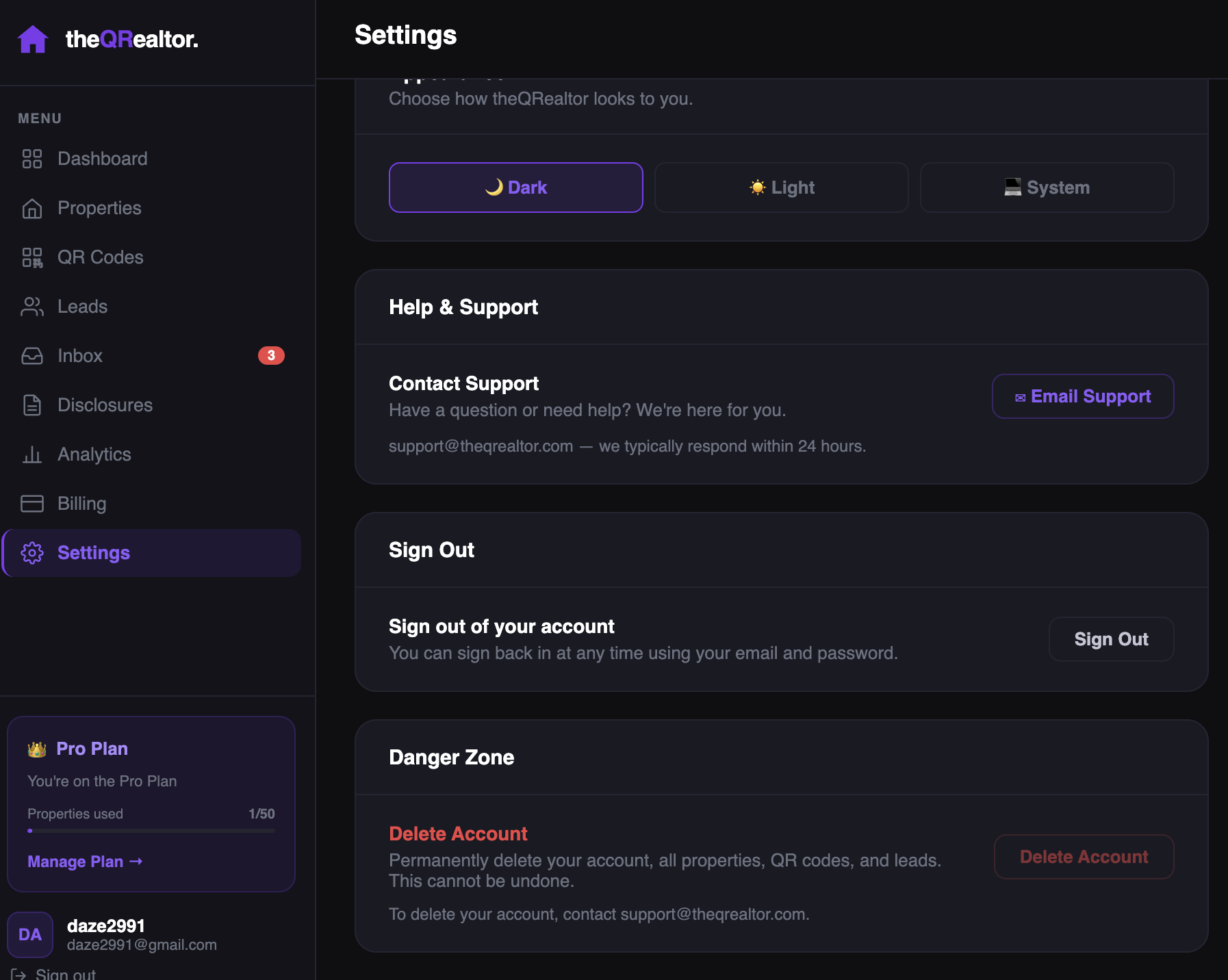 Confirmation state after opt-in enabled
Example SMS Message
🏠 New showing request: John Buyer wants to see 123 Main St. Call: (555) 010-1234. View lead: https://theqrealtor.com/dashboard/leads/example-lead-id. Reply STOP to opt out.
How to Opt Out
Agents can opt out at any time by:
- Replying STOP to any SMS message received
- Navigating to Settings and disabling the SMS Lead Alerts toggle
No further alert texts are sent after you opt out.
Privacy Policy: theqrealtor.com/privacy
Terms of Service: theqrealtor.com/terms
For support: hello@theqrealtor.com